
The Flexi Subscription Dashboard provides a centralized view of your subscription store, allowing you to monitor key subscription metrics and access important information from a single screen. It helps you understand the current state of your recurring business without navigating through multiple pages.
Overview #
The dashboard is designed to give you a quick summary of your subscription activity. Whether you’re checking active subscriptions, monitoring renewals, or reviewing recurring revenue, the dashboard presents the most important information in an easy-to-read format.
From the dashboard, you can:
- View key subscription metrics at a glance.
- Monitor subscription growth and performance.
- Check the current distribution of subscription statuses.
- Identify your top-performing subscription products.
- Navigate to other Flexi Subscription sections for detailed management.
Accessing the Dashboard #
To open the dashboard:
- Log in to your WordPress Admin Dashboard.
- Navigate to WordPress → Flexi Subscription.
- The Dashboard opens automatically when you access the plugin.
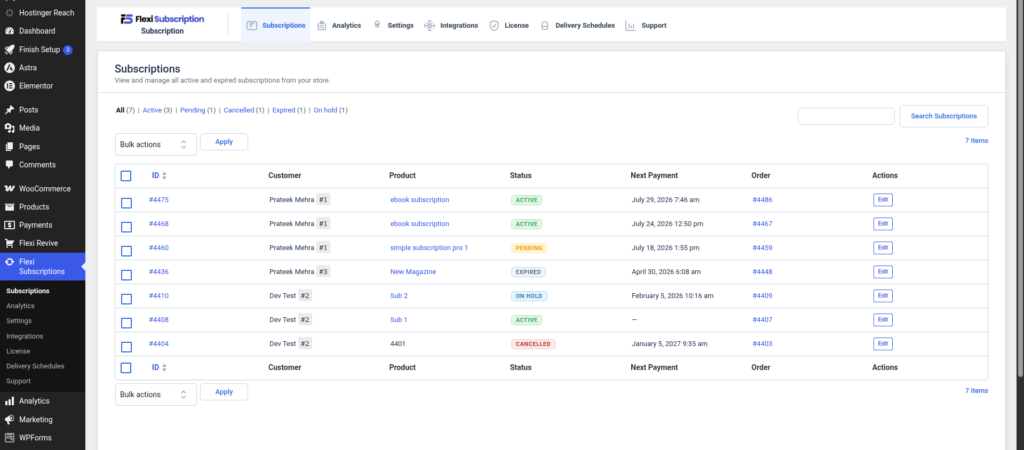
The dashboard is divided into multiple sections, each providing a different view of your subscription data.
The dashboard opens as the main landing page for the plugin.
Understanding the Dashboard #
Summary Cards #
At the top of the dashboard, you’ll find a collection of summary cards that display important subscription metrics. These cards provide a quick overview of your store’s current performance.
Depending on your store activity, the dashboard may include metrics such as:
| Metric | Description |
|---|---|
| Active Now | Displays the number of currently active subscriptions. |
| Auto-Renew Enabled | Shows how many active subscriptions have automatic renewals enabled. |
| Projected MRR | Estimates the monthly recurring revenue generated by active subscriptions. |
| Renewals Due | Indicates the number of subscription renewals expected within the selected reporting period. |
| New Subscriptions | Shows how many new subscriptions were created during the selected time period. |
| Renewal Revenue | Displays the revenue generated from successful subscription renewals. |
| Failed Renewals | Shows subscriptions with renewal payments that could not be completed. |
| Trial Conversions | Displays the number of trial subscriptions that successfully converted into paid subscriptions. |
| Churn | Indicates subscriptions that were cancelled or expired during the selected reporting period. |
These metrics help you quickly understand how your subscription business is performing.
Subscription Status Overview #
The Current Status Mix section provides a breakdown of subscriptions based on their current status.
Common subscription statuses include:
| Status | Description |
|---|---|
| Active | The subscription is currently running and renews according to its billing schedule. |
| Pending | The subscription is awaiting activation or payment. |
| Cancelled | The subscription has been cancelled and will not renew again. |
| Expired | The subscription has reached its scheduled end date. |
| On Hold | The subscription is temporarily paused until it is resumed. |
Reviewing this section regularly helps you identify trends and monitor the health of your subscription store.
Top Subscription Products #
The dashboard also highlights your top-performing subscription products.
For each product, you can review information such as:
- Active subscriptions
- Newly created subscriptions
- Renewal revenue
- Monthly recurring revenue (MRR)
This overview makes it easier to identify products generating the most recurring revenue and customer engagement.
Using the Dashboard Effectively #
The dashboard is intended as a monitoring tool rather than a management interface. Use it to review your store’s performance before moving to the relevant pages for detailed actions.
For example, after reviewing the dashboard, you can:
- Open the Subscriptions page to manage individual subscriptions.
- Visit Analytics for more detailed reporting.
- Configure plugin behavior from the Settings page.
- Manage your license or integrations when needed.
Tip: Reviewing the dashboard regularly helps you identify subscription trends, monitor renewal activity, and spot potential issues before they affect your customers.
Best Practices #
- Check the dashboard regularly to stay informed about subscription activity.
- Monitor failed renewals and pending subscriptions to address potential payment issues promptly.
- Review your projected recurring revenue to track business growth over time.
- Keep an eye on churn to better understand customer retention.
- Use the dashboard as your starting point before managing subscriptions or reviewing detailed analytics.

