
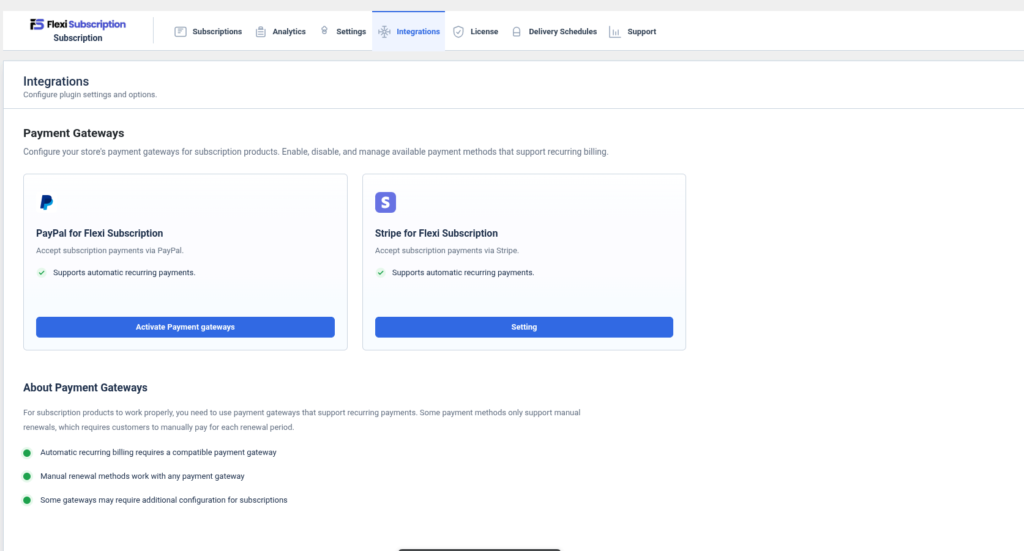
The Integrations page allows you to connect Flexi Subscription with supported payment gateways. Subscription renewals require payment gateways that support recurring billing. This page provides quick access to gateway configuration and explains payment gateway compatibility for subscription products.
Navigate to:
WordPress Dashboard → Flexi Subscription → Integrations
Payment Gateways #
Configure and manage payment gateways that support recurring subscription payments.
Supported gateways include:
- PayPal for Flexi Subscription
- Stripe for Flexi Subscription
Each gateway includes a configuration shortcut and displays whether recurring billing is supported.
PayPal for Flexi Subscription #
Use PayPal to accept recurring subscription payments.
Features #
- Supports automatic recurring billing
- Secure PayPal payment processing
- Sandbox mode for testing
- Supports subscription renewals
- Supports recurring payment agreements
Configuration #
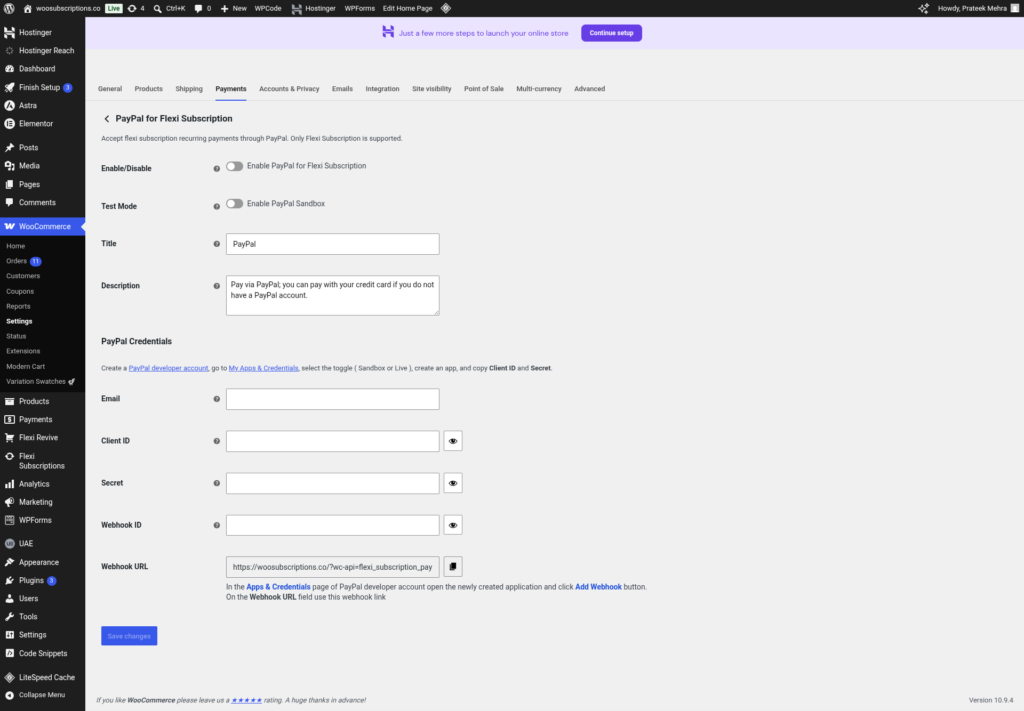
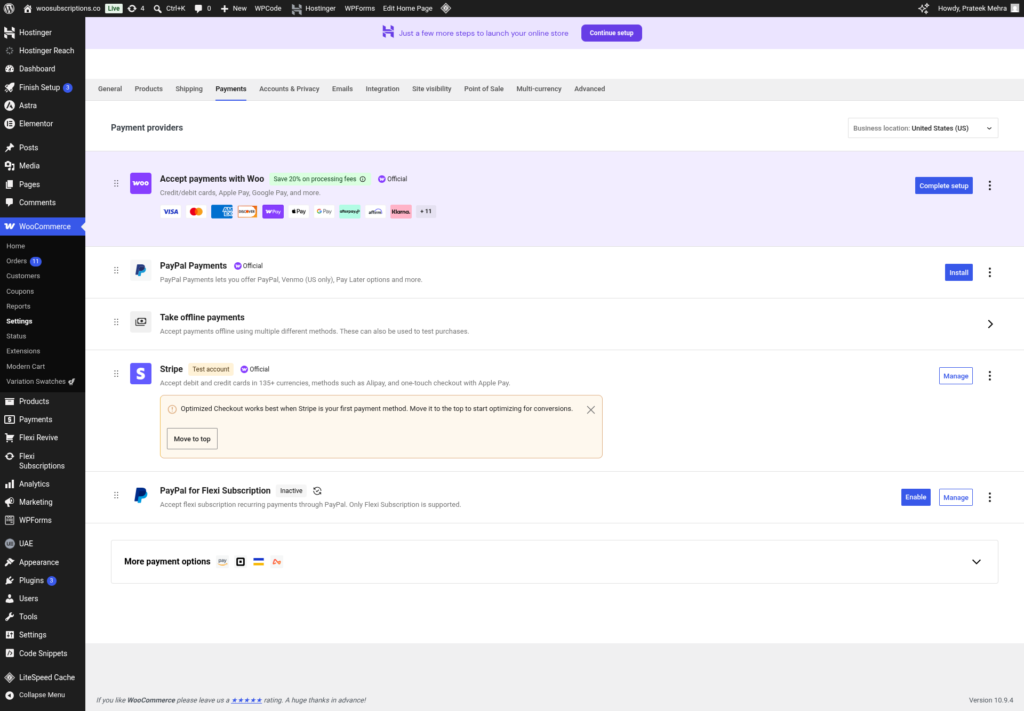
Click Activate Payment Gateways to open the WooCommerce PayPal payment settings.
Configure the following:
- Enable or Disable PayPal
- Sandbox/Test Mode
- Payment Title
- Customer Description
- PayPal Business Email
- Client ID
- Secret Key
- Webhook ID
- API Credentials
After configuration, save the settings to enable recurring subscription payments through PayPal.
Stripe for Flexi Subscription #
Use Stripe to process recurring subscription payments.
Features #
- Automatic recurring billing
- Secure card payments
- Multiple payment method support
- Subscription renewal support
- Payment retries
- PCI-compliant checkout
Configuration #
Click Settings to open the WooCommerce Stripe configuration page.
Available payment methods may include:
- Credit & Debit Cards
- ACH Direct Debit
- Apple Pay
- Google Pay
- Link
- Cash App Pay
- Klarna
- Affirm
- Afterpay
- WeChat Pay
- Bancontact
- iDEAL
- Sofort
- SEPA Direct Debit
- BLIK
- EPS
- P24
- OXXO
- Multibanco
- Amazon Pay
- Additional Stripe-supported payment methods
Configure the required API credentials, enable the desired payment methods, and save the changes.
About Payment Gateways #
Subscription products require payment gateways capable of processing recurring transactions.
Key considerations:
- Automatic recurring billing requires a compatible payment gateway.
- Manual renewal subscriptions work with any WooCommerce payment gateway.
- Some gateways require additional configuration before recurring payments can be processed.
- Gateway capabilities depend on the payment provider and your WooCommerce configuration.
Compatibility #
| Gateway | Recurring Billing | Automatic Renewal | Configuration |
|---|---|---|---|
| PayPal for Flexi Subscription | Yes | Yes | WooCommerce PayPal Settings |
| Stripe for Flexi Subscription | Yes | Yes | WooCommerce Stripe Settings |
Integration Workflow #
- Open Flexi Subscription → Integrations.
- Select the payment gateway you want to use.
- Open the gateway configuration page.
- Enter the required API credentials.
- Enable recurring payments.
- Save the configuration.
- Create subscription products.
- Customers can now purchase subscriptions using the configured payment gateway.

