Flexi Subscription Free provides the essential tools required to create, sell, and manage subscription products in WooCommerce. It includes subscription management, recurring billing support, customer account integration, subscription analytics, configurable settings, and payment gateway integration—all from a centralized dashboard.
This guide provides an overview of the features available in the free version of Flexi Subscription.
Overview #
The free version of Flexi Subscription helps you manage the complete subscription lifecycle from your WooCommerce store.
With Flexi Subscription Free, you can:
- Create subscription products
- Configure recurring billing cycles
- Manage subscription statuses
- View subscription analytics
- Configure subscription settings
- Integrate supported payment gateways
- Allow customers to manage subscriptions from their accounts
- Receive subscription-related email notifications
These features provide everything needed to start selling subscription-based products with WooCommerce.
Requirements & Installation #
Before using Flexi Subscription, ensure you have:
- WordPress installed
- WooCommerce installed and activated
- Flexi Subscription (Free) installed and activated
After activation, a new Flexi Subscription menu is added to the WordPress dashboard.
Subscription Management #
Manage all subscriptions from a single location.
Navigate to:
WordPress Dashboard → Flexi Subscription → Subscriptions
From the Subscriptions page you can:
- View all subscriptions
- Search subscriptions
- Filter subscriptions by status
- Edit subscription details
- Perform bulk actions
- View linked WooCommerce orders
- Check upcoming renewal dates
The subscription list displays important information including:
| Column | Description |
|---|---|
| ID | Subscription reference number. |
| Customer | Customer who owns the subscription. |
| Product | Linked subscription product. |
| Status | Current subscription status. |
| Next Payment | Scheduled renewal date. |
| Order | Associated WooCommerce order. |
| Actions | Edit and manage the subscription. |
Available subscription statuses include:
| Status | Description |
|---|---|
| Active | Subscription is currently active. |
| Pending | Waiting for activation or payment confirmation. |
| On Hold | Subscription renewals are temporarily paused. |
| Cancelled | Future renewals have been stopped. |
| Expired | Subscription has reached its end date. |
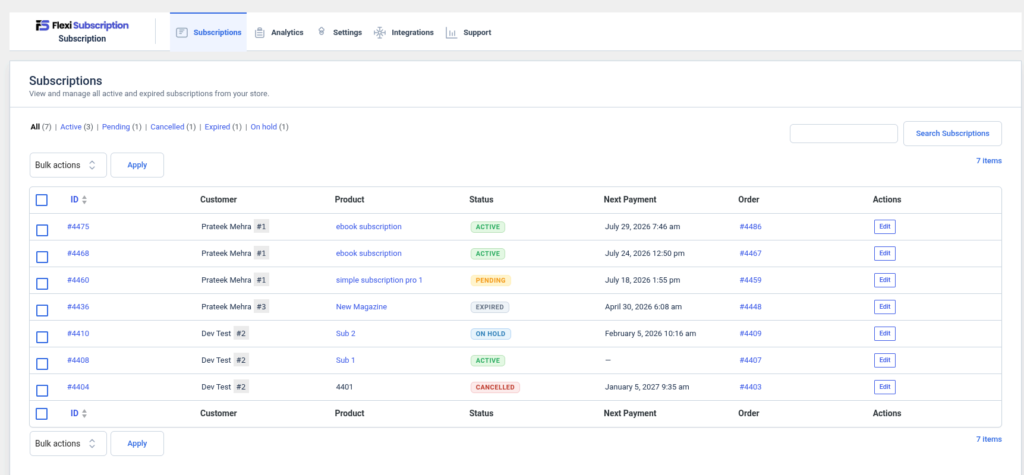
The subscription dashboard gives administrators a complete overview of all subscription activity in one place.
Subscription Analytics #
The Analytics page is available in the Flexi Subscription menu and serves as the central place for subscription insights.
Navigate to:
WordPress Dashboard → Flexi Subscription → Analytics
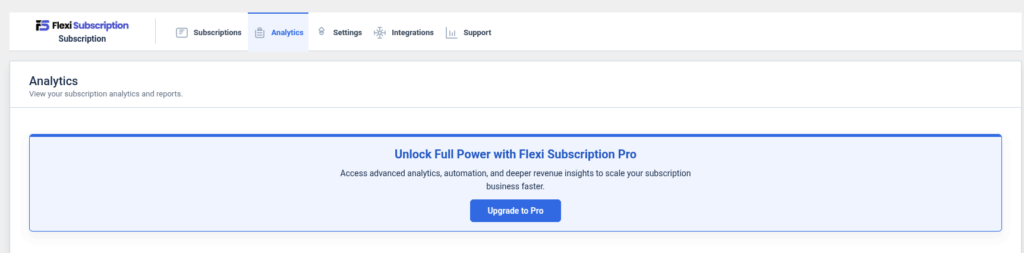
In the Free version, the Analytics page displays an upgrade prompt, informing you that advanced subscription analytics and reporting are available in Flexi Subscription Pro.
With Flexi Subscription Pro, you’ll unlock advanced analytics features including:
- Subscription growth reports
- Revenue and renewal analytics
- Active and cancelled subscription trends
- Churn tracking
- Customer subscription insights
- CSV report exports
Upgrade to Flexi Subscription Pro to access complete subscription reporting and business insights.
Plugin Settings #
Configure how Flexi Subscription manages renewals, customer roles, and general subscription behavior.
Navigate to:
WordPress Dashboard → Flexi Subscription → Settings
The Free version includes the following settings.
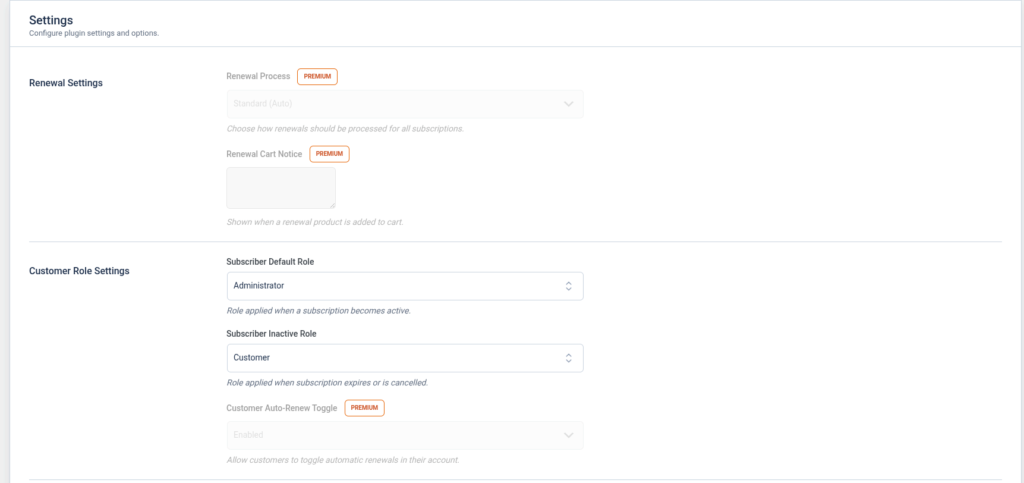
Renewal Settings
The Renewal Settings section contains features related to the subscription renewal process.
Available in Free:
- None
Available in Pro:
- Renewal Process
- Renewal Cart Notice
Customer Role Settings #
Automatically assign WordPress user roles based on a customer’s subscription status.
Subscriber Default Role
Select the WordPress role assigned when a subscription becomes Active.
Subscriber Inactive Role
Select the WordPress role assigned when a subscription expires or is cancelled.
Pro Only
Customer Auto-Renew Toggle
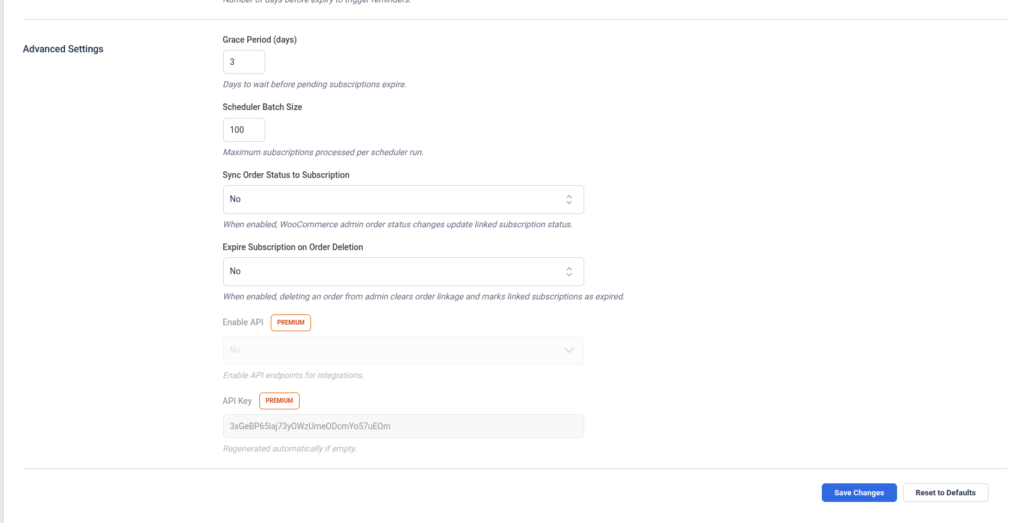
Advanced Settings #
Configure additional subscription behavior and system options.
Grace Period (Days)
Specify how many days a pending subscription remains active before it expires.
Scheduler Batch Size
Set the maximum number of subscriptions processed during each scheduled task.
Sync Order Status to Subscription
Automatically update the subscription status when the linked WooCommerce order status changes.
Expire Subscription on Order Deletion
Expire the linked subscription when its associated WooCommerce order is deleted.
Pro Only
- API Key
- Enable API
After making any changes, click Save Changes to apply your settings, or Reset to Defaults to restore the default configuration.
Payment Gateway Integration #
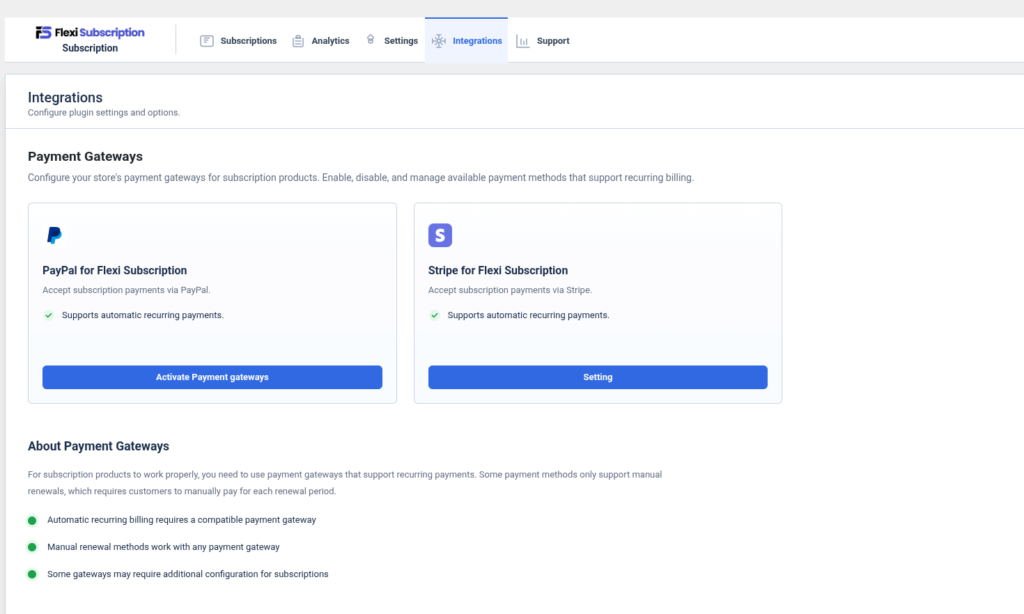
Flexi Subscription integrates with WooCommerce payment gateways that support subscription payments.
Navigate to:
WordPress Dashboard → Flexi Subscription → Integrations
The free version provides integration support for:
- Stripe
- PayPal
From the Integrations page you can:
- View supported payment gateways
- Access gateway configuration
- Enable recurring payment support through WooCommerce
Important: Automatic recurring billing requires a payment gateway that supports subscription payments. Unsupported gateways require customers to manually pay renewal orders.
Customer Experience #
Customers can manage their subscriptions directly from their WooCommerce account.
Depending on your subscription settings, customers can:
- View active subscriptions
- Check subscription status
- View upcoming renewal dates
- Review subscription history
- Cancel eligible subscriptions
This allows customers to manage recurring purchases without administrator assistance.
Support #
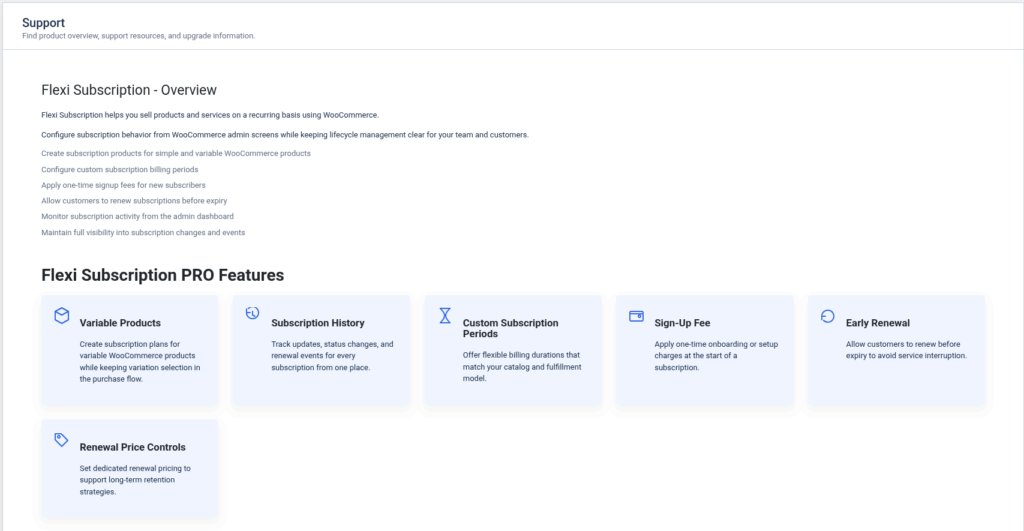
The Support page provides an overview of Flexi Subscription and introduces the additional features available in the Pro version.
Navigate to:
WordPress Dashboard → Flexi Subscription → Support
On this page, you can:
- View a brief introduction to Flexi Subscription.
- Learn what the plugin is designed to help you accomplish.
- Explore premium features available in Flexi Subscription Pro.
- Compare Free and Pro capabilities before upgrading.
Plugin Overview #
The overview section explains that Flexi Subscription helps you sell products and services on a recurring basis with WooCommerce.
It also highlights core capabilities such as:
- Creating subscription products for WooCommerce.
- Configuring subscription billing periods.
- Managing subscription lifecycle events.
- Monitoring subscription activity from the admin dashboard.
- Allowing customers to renew subscriptions before expiry.
- Maintaining visibility into subscription changes and events.
Flexi Subscription Pro Features #
The Support page also showcases premium features included in Flexi Subscription Pro, including:
- Variable Products – Create subscriptions for WooCommerce variable products.
- Subscription History – Track subscription events and lifecycle changes.
- Custom Subscription Periods – Configure flexible billing durations.
- Sign-Up Fee – Charge a one-time fee when a subscription starts.
- Early Renewal – Allow customers to renew before the scheduled renewal date.
- Renewal Price Controls – Set different renewal prices for recurring billing.
The Support page serves as a quick product overview and helps you discover the additional functionality available with Flexi Subscription Pro.