Flexi Subscription allows you to convert any WooCommerce product into a recurring purchase. Follow the steps below to create and configure your subscription plan.
Step 1 – Add a New Product
From your WordPress dashboard, navigate to:
Dashboard → Products → Add New
Flexi Subscription allows you to convert any WooCommerce product into a recurring purchase. Follow the steps below to create and configure your subscription plan.
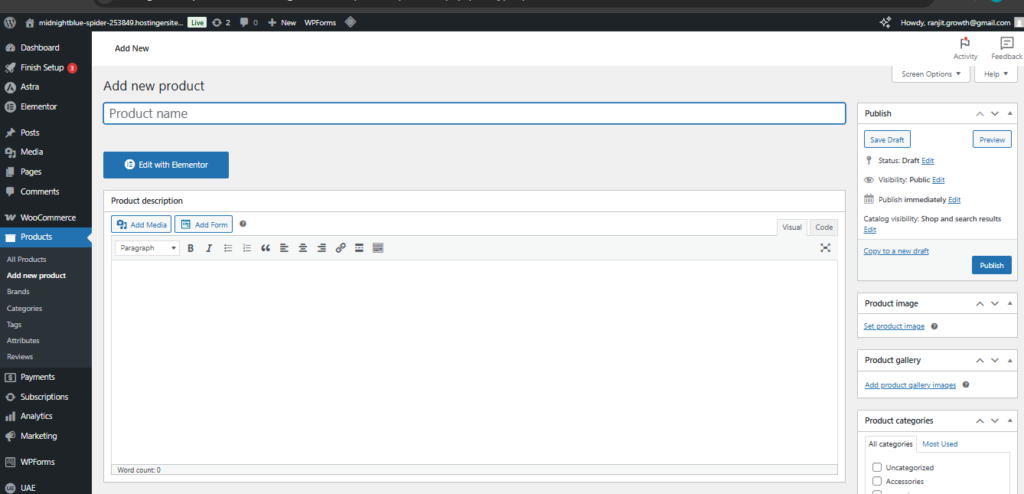
From your WordPress dashboard, navigate to:
Once enabled, the subscription configuration options will become available within the product data tabs.
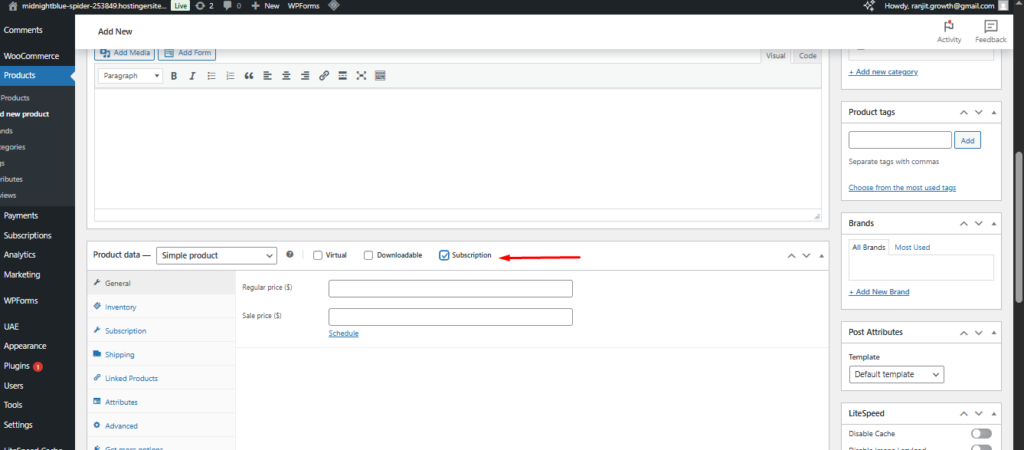
Step 3 – Configure Subscription Settings
Open the Subscription tab to define how the recurring billing should behave.
Subscription Options Explained
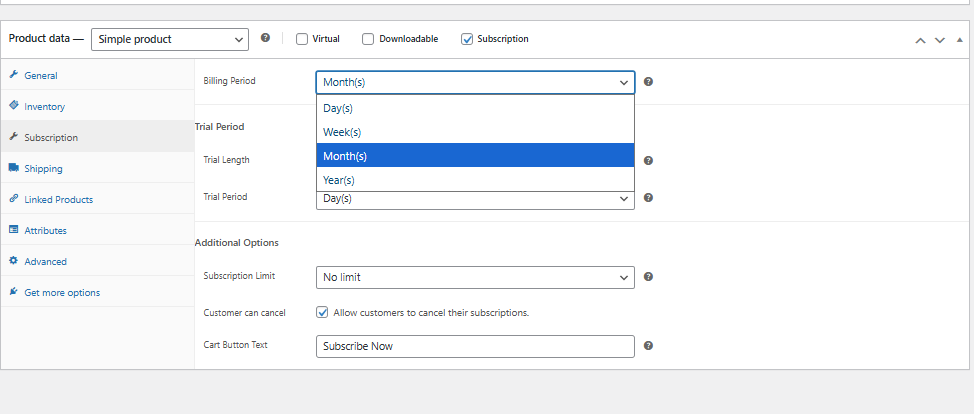
Billing Period
Choose how frequently the customer will be charged.
The billing cycle can be selected from the dropdown and may include:
- Day(s)
- Week(s)
- Month(s)
- Year(s)
The renewal will repeat automatically according to the selected interval.
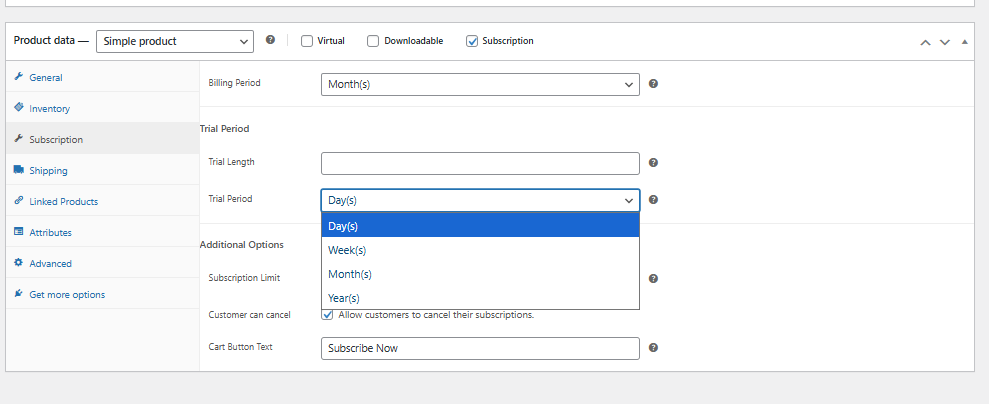
Trial Length
If you want to offer a free or discounted trial, enter the numeric value that defines how long the trial should last.
Example:
7 → for a 7-day or 7-month trial (depending on the selected unit).
Trial Period #
Select the unit of time for the trial duration from the dropdown.
For example:
- Day(s)
- Week(s)
- Month(s)
- Year(s)