
Manage your license status and product update eligibility.
The License page allows you to activate, manage, and monitor your Flexi Subscription Pro license. A valid license enables access to product updates, premium features, and technical support.
Navigate to:
WordPress Dashboard → Flexi Subscription → License
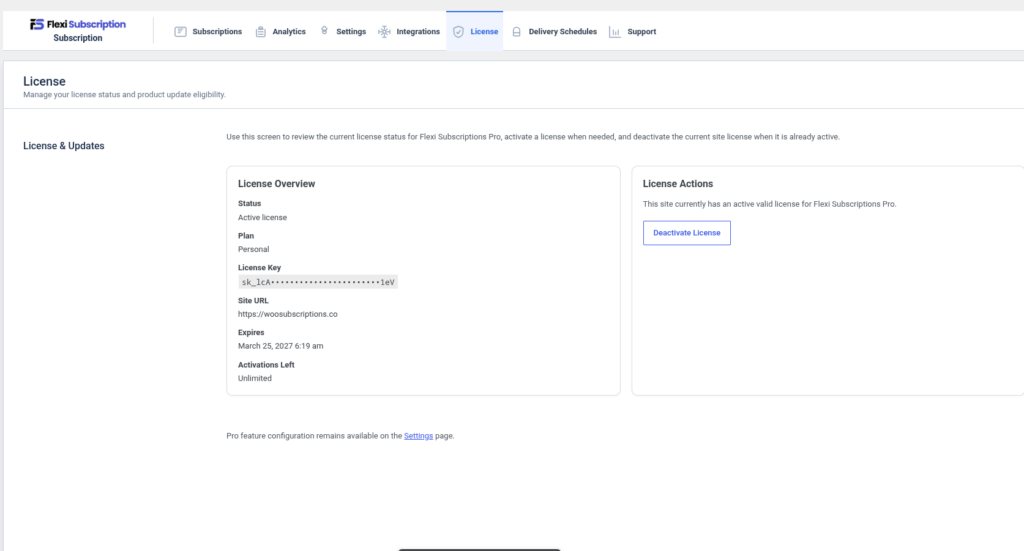
License Overview #
The License Overview section displays the current status of your license.
Information includes:
- License Status
- License Plan
- License Key (masked for security)
- Registered Site URL
- License Expiration Date
- Remaining Site Activations
This information helps you verify that your license is active and correctly assigned to your website.
License Actions #
The License Actions panel allows you to manage your current license.
Available actions include:
- Activate a new license
- Deactivate the current license
- Replace an existing license key
- Refresh license status
Deactivating a license releases the activation, allowing it to be used on another eligible website.
Product Updates #
An active license provides:
- Automatic plugin updates
- Access to new features
- Security updates
- Performance improvements
- Bug fixes
- Premium support eligibility
Notes #
- A valid license is required to receive automatic updates.
- License activation is tied to your website domain.
- Deactivating a license does not remove plugin data or subscription records.
- Premium feature settings remain available after activation.
Delivery Schedules #
Review and update upcoming or completed subscription deliveries.
The Delivery Schedules page provides an overview of subscription-based product deliveries. It helps store administrators monitor scheduled shipments and update delivery progress.
Navigate to:
WordPress Dashboard → Flexi Subscription → Delivery Schedules
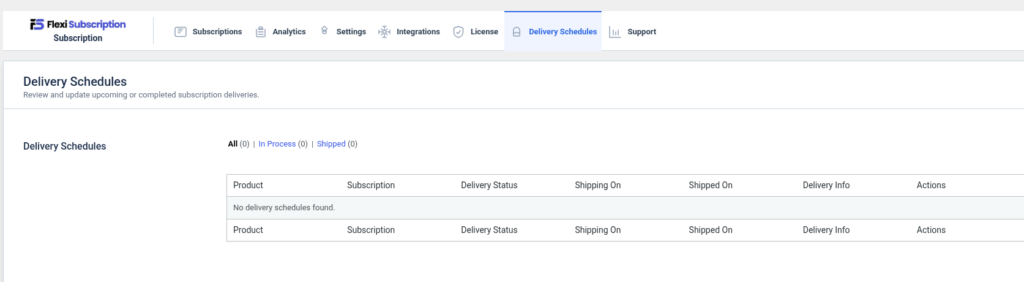
Delivery Schedule List #
The delivery schedule table displays all scheduled deliveries.
Available columns include:
- Product
- Subscription
- Delivery Status
- Shipping On
- Shipped On
- Delivery Information
- Actions
Delivery Status #
Each delivery can be tracked using one of the available statuses.
Supported statuses include:
- In Process
- Shipped
Use the status filters to quickly locate deliveries based on their current progress.
Managing Deliveries #
Administrators can:
- View upcoming deliveries
- Mark deliveries as shipped
- Review completed shipments
- View associated subscriptions
- Monitor delivery schedules
Empty State #
If no delivery schedules are available, the table displays a message indicating that no deliveries have been created.
Delivery schedules become available after products with scheduled delivery functionality are configured.
Notes #
- Delivery schedules are available with supported subscription products.
- Delivery records remain linked to their original subscriptions.
- Administrators can review historical delivery information at any time.
Support #
Find product overview, support resources, and upgrade information.
The Support page provides an overview of Flexi Subscription features, premium capabilities, and helpful resources for administrators.
Navigate to:
WordPress Dashboard → Flexi Subscription → Support
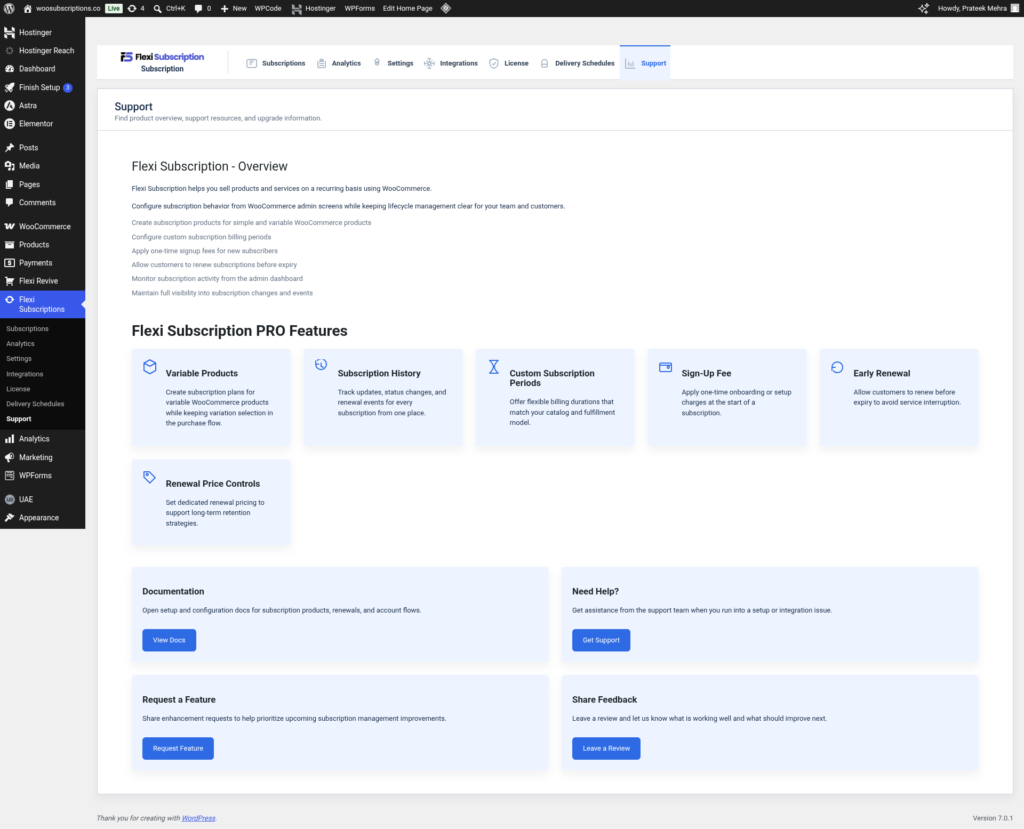
Flexi Subscription Overview #
Flexi Subscription enables recurring billing for WooCommerce products and services.
Core capabilities include:
- Create subscription products
- Configure recurring billing periods
- Support recurring payments
- Manage subscription lifecycles
- Track subscription activity
- Maintain complete subscription history
- Monitor customer renewals
- Manage subscriptions directly from the WordPress dashboard
Flexi Subscription Pro Features #
The Support page highlights premium functionality available in Flexi Subscription Pro.
Variable Products #
Create subscription plans for WooCommerce variable products while maintaining variation selection during purchase.
Subscription History #
Track status changes, renewal events, customer activity, and subscription lifecycle history from a single location.
Custom Subscription Periods #
Create flexible billing schedules that match your products and business requirements.
Sign-Up Fee #
Charge a one-time setup or onboarding fee when a customer purchases a subscription.
Early Renewal #
Allow customers to renew subscriptions before their scheduled renewal date to avoid service interruption.
Renewal Price Controls #
Configure independent renewal pricing that differs from the initial purchase price to support long-term pricing strategies.
Support Resources #
Flexi Subscription documentation provides guidance for:
- Installation
- Configuration
- Subscription management
- Payment gateway setup
- License activation
- Troubleshooting
- Premium feature configuration

