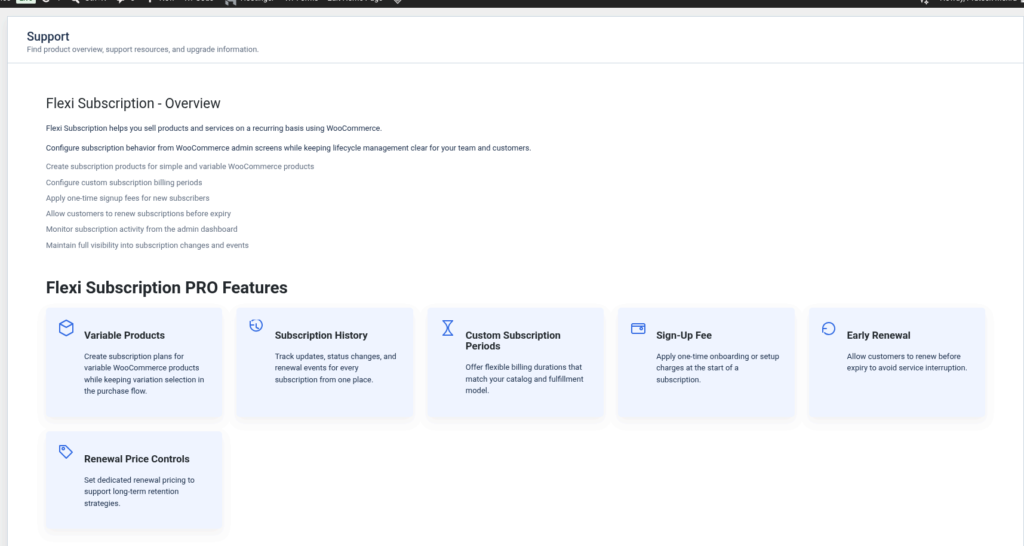
Flexi Subscription Pro extends the core functionality of the free version by providing advanced subscription management, automation, pricing controls, developer tools, and delivery management. These features are designed for businesses that require greater flexibility, automation, and scalability for recurring revenue.
This guide provides an overview of the major features available in Flexi Subscription Pro.
Variable Subscription Products #
Create subscription plans for variable WooCommerce products while allowing customers to select product variations during purchase.
Benefits #
- Create subscriptions for variable products.
- Assign subscription plans to different variations.
- Offer multiple billing options for the same product.
- Maintain a seamless WooCommerce purchase experience.
Examples include:
- Clothing subscriptions with different sizes
- Coffee subscriptions with multiple package options
- Software plans with different license tiers
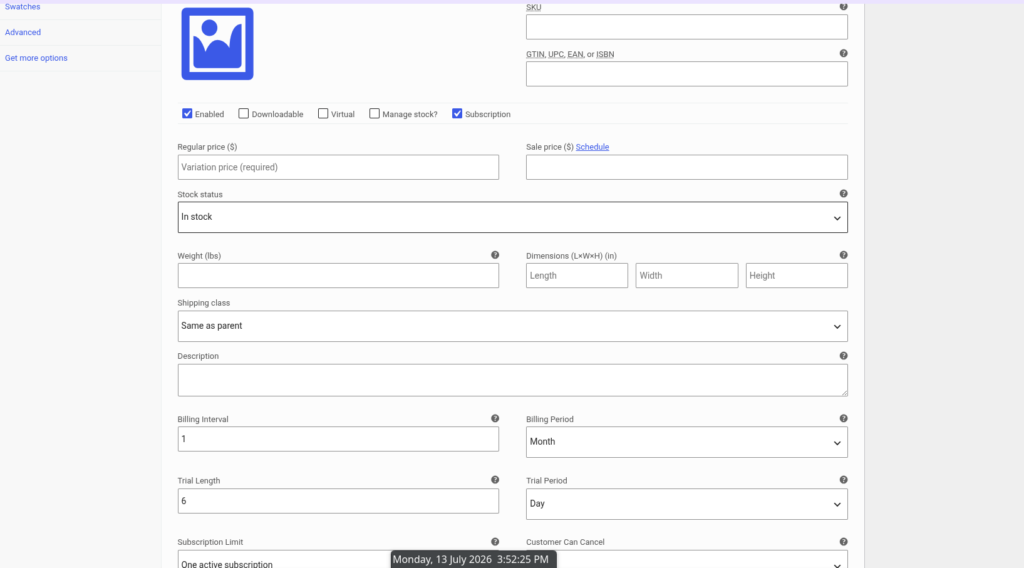
Creating a Subscription Product #
Create Your First Subscription #
Learn how to create a subscription product from the WooCommerce product editor.
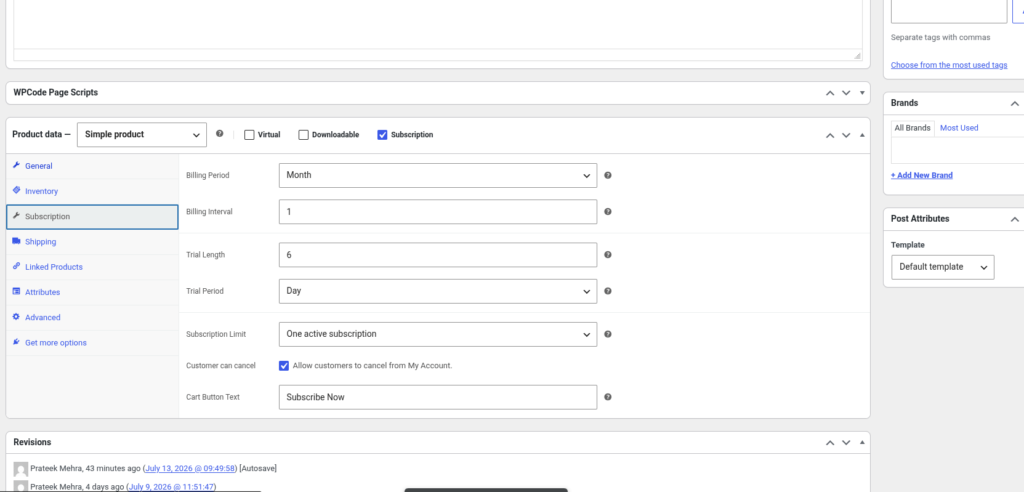
Product Subscription Settings #
Configure all subscription options available for each product.
- Billing Period
- Billing Interval
- Trial Length
- Trial Period
- Subscription Limit
- Customer Cancellation
- Cart Button Text
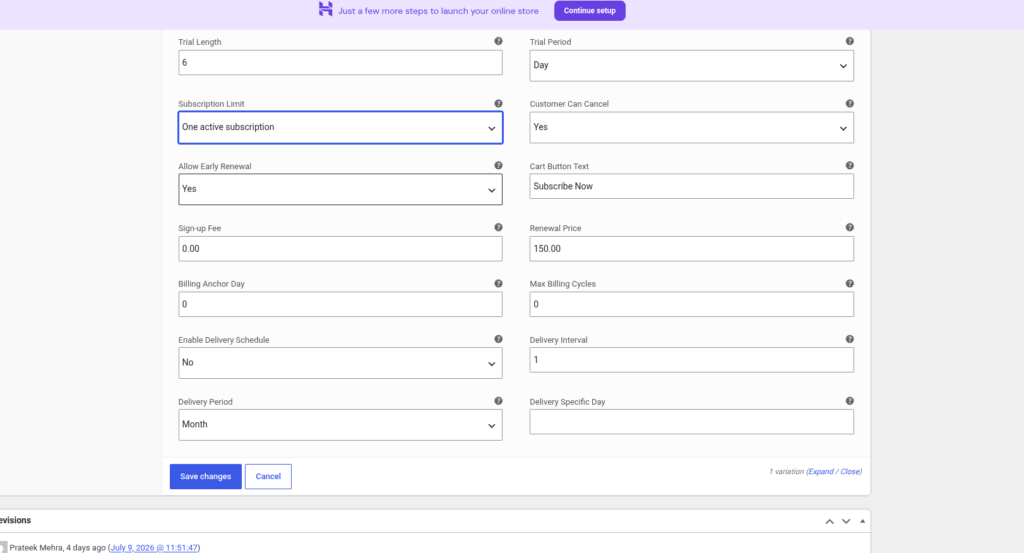
Advanced Subscription Options #
Configure advanced billing behavior.
- Sign-up Fee
- Renewal Price
- Allow Early Renewal
- Billing Anchor Day
- Maximum Billing Cycles
Delivery Schedule #
Set recurring product deliveries.
- Enable Delivery Schedule
- Delivery Interval
- Delivery Period
- Delivery Specific Day
Subscription Management #
Subscription Dashboard #
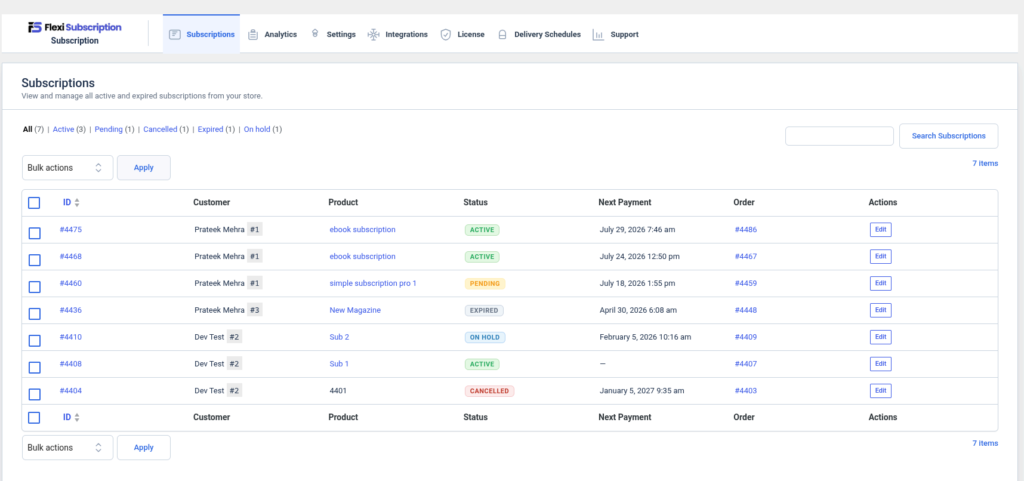
Overview of every subscription in your store.
Learn about:
- Active subscriptions
- Pending subscriptions
- Cancelled subscriptions
- Expired subscriptions
- On Hold subscriptions
- Search subscriptions
- Bulk actions
- Editing subscriptions
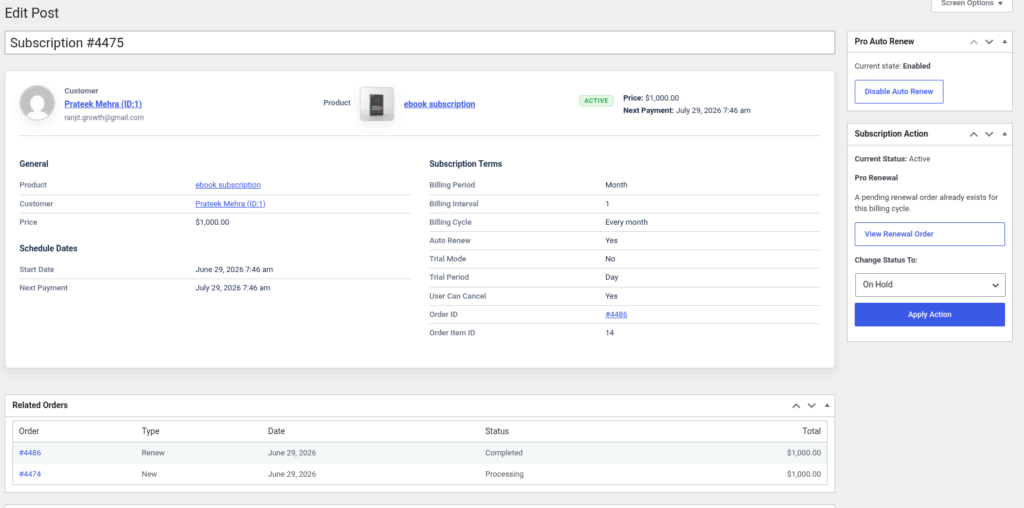
Editing a Subscription #
Manage an individual subscription.
Topics include:
- Customer Information
- Product Information
- Schedule Dates
- Subscription Terms
- Order Details
- Related Orders
- Auto Renew Controls
- Change Subscription Status
Analytics #
Subscription Performance Dashboard #
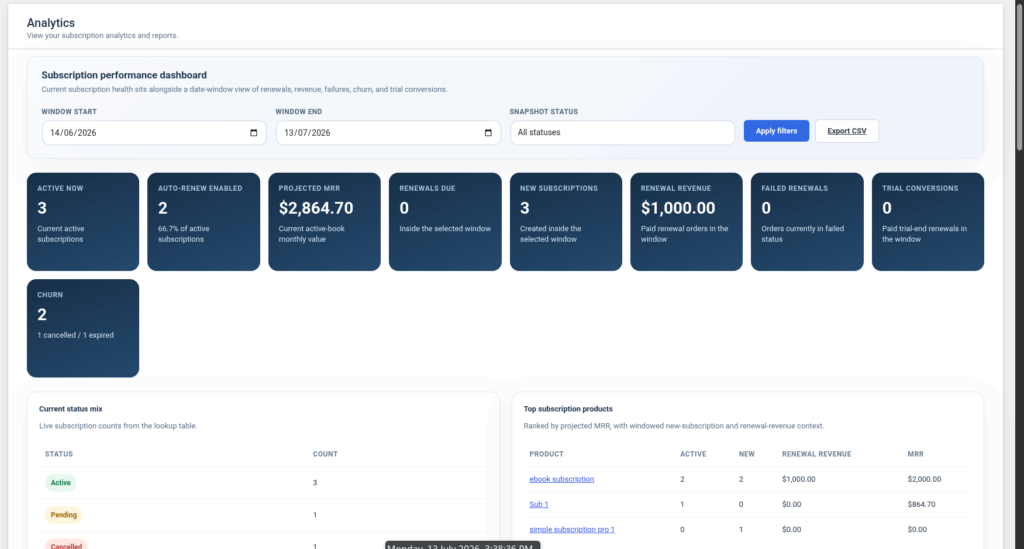
Understand your recurring revenue with built-in analytics.
Dashboard Metrics #
- Active Now
- Auto Renew Enabled
- Projected MRR
- Renewals Due
- New Subscriptions
- Renewal Revenue
- Failed Renewals
- Trial Conversions
- Churn
Analytics Filters #
- Date Range
- Snapshot Status
- Export CSV
Status Breakdown #
Learn how each subscription status affects reports.
Top Subscription Products #
Track your highest-performing subscription products.
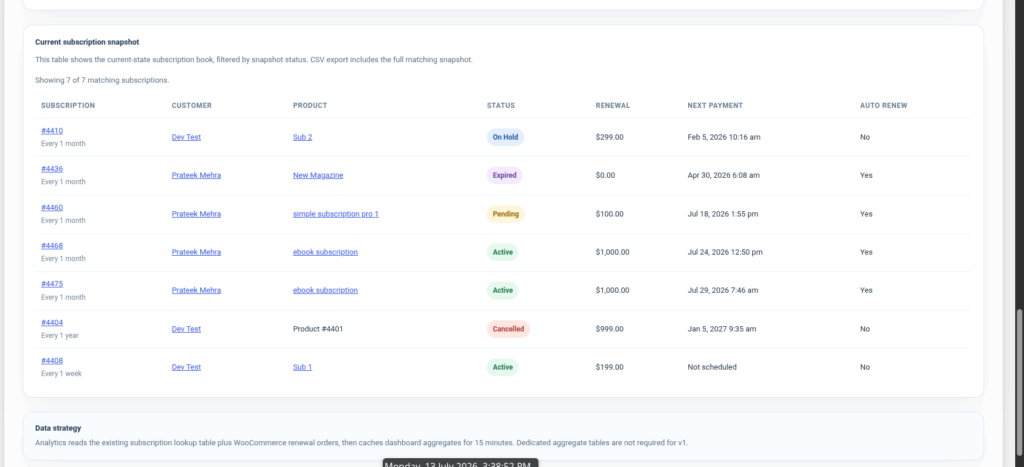
Current Subscription Snapshot #
View all subscription records in one table.
Plugin Settings #
Renewal Settings #
Configure how renewals are processed.
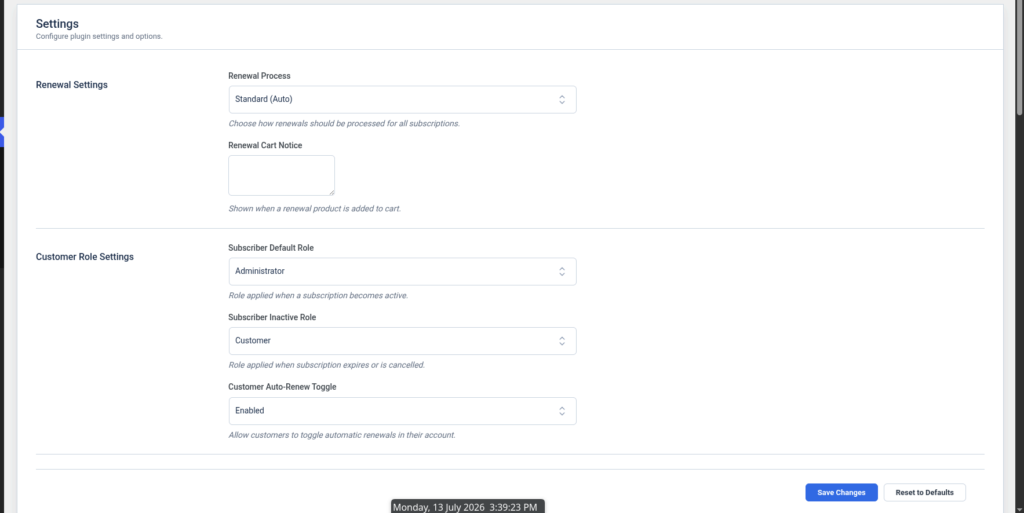
Renewal Process #
Choose:
- Standard (Auto)
- Manual (if available)
Renewal Cart Notice #
Display a custom message during renewal checkout.
Customer Role Settings #
Automatically manage user roles.
Subscriber Default Role #
Role assigned when a subscription becomes active.
Subscriber Inactive Role #
Role assigned after expiration or cancellation.
Customer Auto-Renew Toggle #
Allow customers to enable or disable automatic renewals.
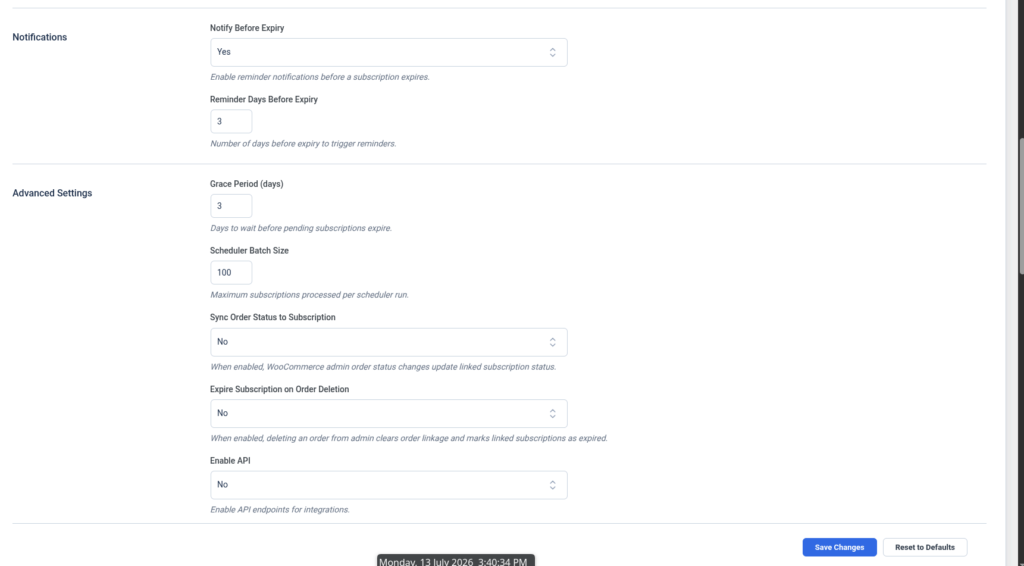
Notifications #
Configure reminder emails.
Notify Before Expiry #
Enable or disable expiry notifications.
Reminder Days Before Expiry #
Choose how many days before expiry reminders are sent.
Advanced Settings #
Grace Period #
Configure how long pending subscriptions remain valid.
Scheduler Batch Size #
Control the number of subscriptions processed per scheduled run.
Sync Order Status to Subscription #
Automatically synchronize WooCommerce order status with subscriptions.
Expire Subscription on Order Deletion #
Automatically expire subscriptions when linked orders are deleted.
Enable API #
Enable subscription API endpoints for integrations.
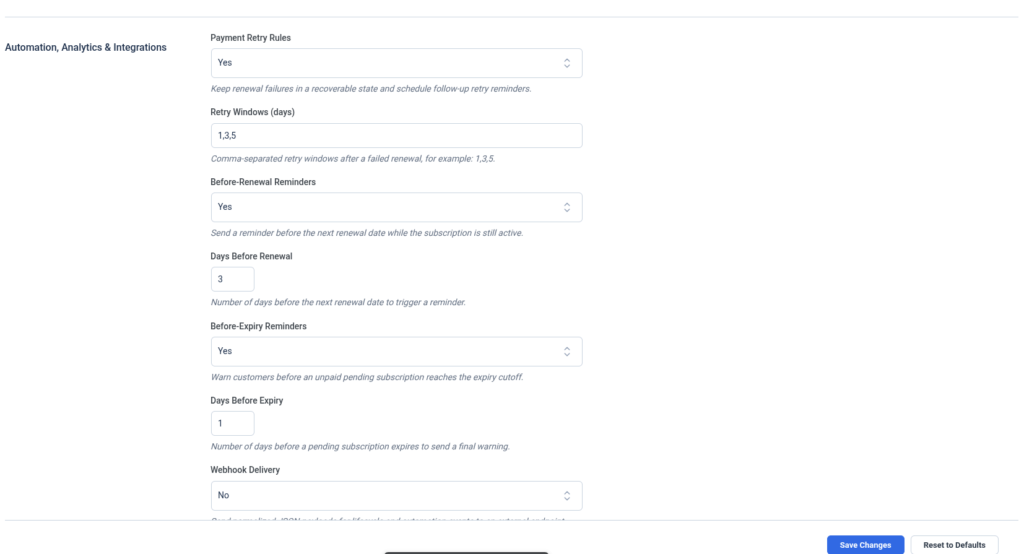
Automation, Analytics & Integrations #
Payment Retry Rules #
Automatically retry failed renewal payments.
Retry Windows #
Configure retry intervals.
Example:
- Day 1
- Day 3
- Day 5
Renewal Reminders #
Automatically notify customers before renewal.
Configure:
- Enable Reminder
- Days Before Renewal
Expiry Reminders #
Warn customers before subscriptions expire.
Configure:
- Enable Reminder
- Days Before Expiry
Webhook Delivery #
Send subscription events to external applications.
Topics include:
- Enable Webhooks
- Webhook URL
- Timeout
- Supported Events
Available Events:
- Subscription Created
- Renewal Order Created
- Payment Failed
- Subscription Activated
- Subscription Cancelled
- Subscription Expired
- Before Renewal Reminder
- Before Expiry Reminder
- Payment Retry Reminder
Analytics Cache #
Improve dashboard performance.
Configure:
- Enable Cache
- Cache TTL
API Access Policy #
Understand API permissions and available endpoints.
Delivery Schedules #
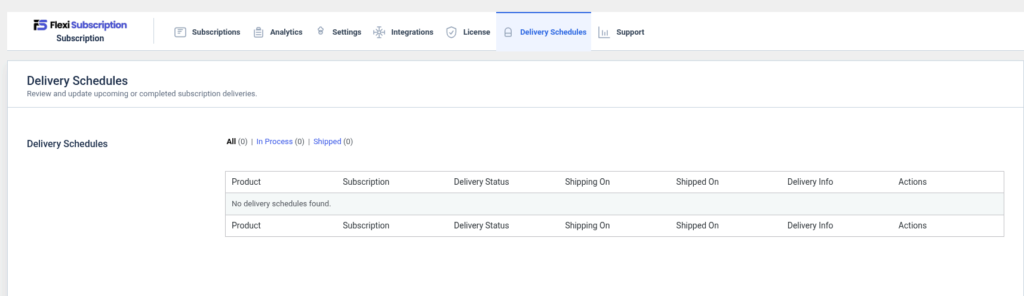
Creating Delivery Schedules #
Create recurring delivery schedules for subscription products.
Topics include:
- Delivery Frequency
- Delivery Period
- Monthly Deliveries
- Weekly Deliveries
- Specific Delivery Days
License #
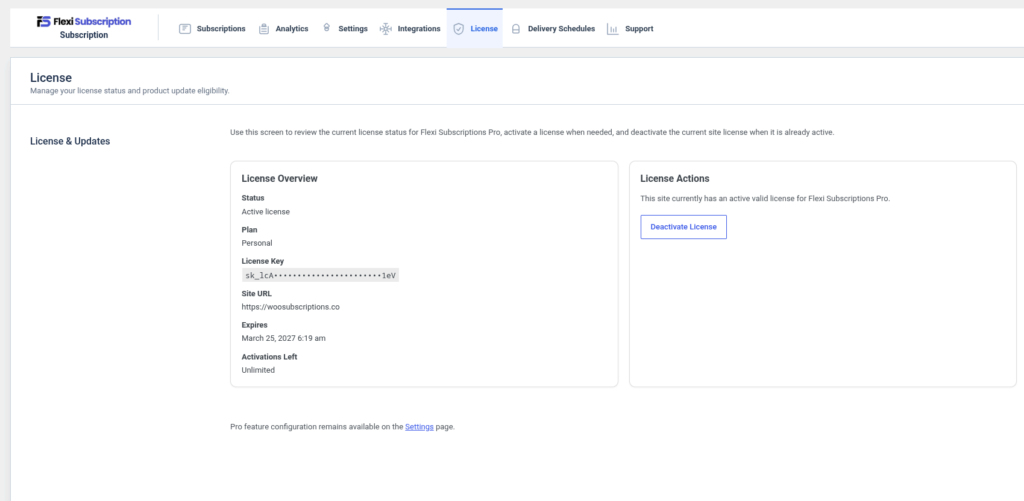
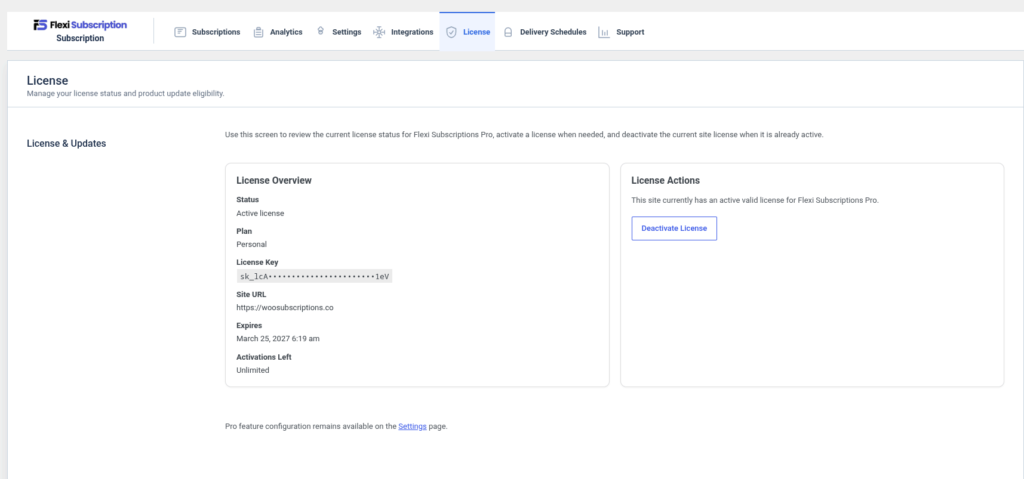
Activate Your License #
Learn how to activate your Pro license.
Deactivate a License #
Remove a license from your website.
License Troubleshooting #
Resolve common activation issues.
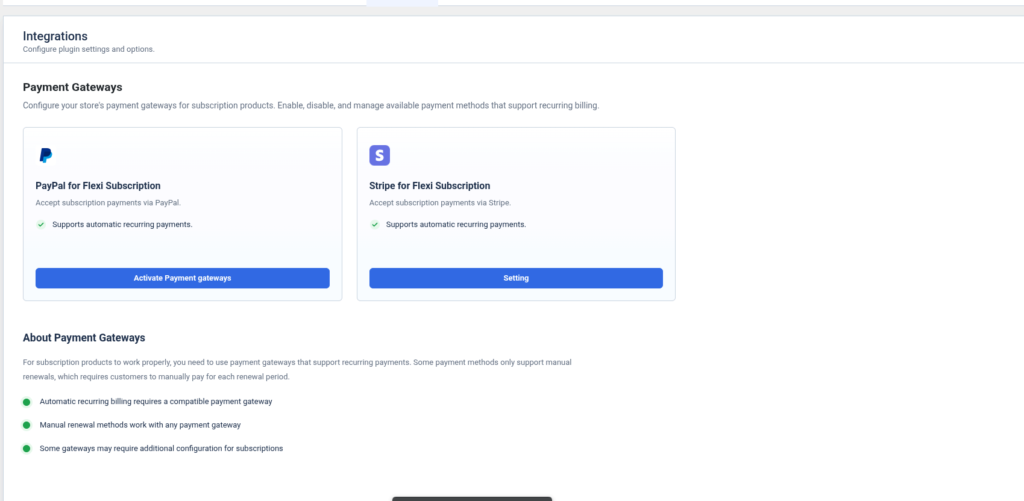
Integrations #
WooCommerce Integration #
Understand how Flexi Subscription works with WooCommerce.
Payment Gateway Compatibility #
Supported payment gateways.
Third-Party Compatibility #
Working with other WooCommerce extensions.
Support #
Frequently Asked Questions #
Find answers to common questions.
Troubleshooting Guide #
Fix common issues related to:
- Renewals
- Orders
- Subscription Status
- Scheduled Actions
- Analytics
- Email Notifications
- Delivery Scheduling
- Auto Renew
Contact Support #
How to get help from the Flexi Subscription support team.