
Flexi Subscription works seamlessly with WooCommerce orders.
Every initial purchase and every renewal payment automatically creates a standard WooCommerce order.This means store admins can manage subscription payments using the same workflow they already use for normal purchases.
WooCommerce → Orders
Here you will see orders created from:
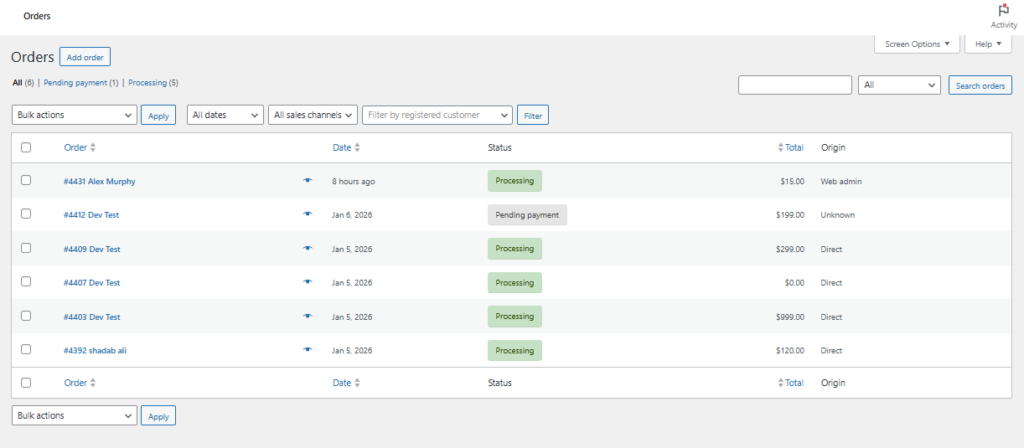
- New subscription purchases
- Renewal payments
- Manual renewals paid by customers
Understanding the Orders Table
Each row represents one order connected to a subscription.
Order Number
A unique identifier for the transaction. Click it to open full order details.
Customer
Displays the subscriber’s name. You can open the customer profile from here.
Date
Shows when the order was created.
For renewals, this usually matches the scheduled billing date.
Status
Indicates the payment and fulfillment situation.
Common statuses include:
- Pending payment
- Processing
- On hold
- Completed
- Cancelled
- Refunded
- Failed
- Draft
Total
The amount charged for that billing cycle.
Origin
Shows how the order was generated (admin, direct checkout, etc.).


